021 what’s happening: assignments
When the computer runs your program, it reads one line of code at a time. It moves words and numbers around in its memory. It is like moving sticky notes around on your desk.
Here is what the two lines you wrote in L020 do. Each one is a statement: they tell the computer to do things.
double leftStickY = gamepad1.left_stick_y;
The FTC programming platform gives your program many objects to help program robots. gamepad1
is one of them. So is gamepad2.
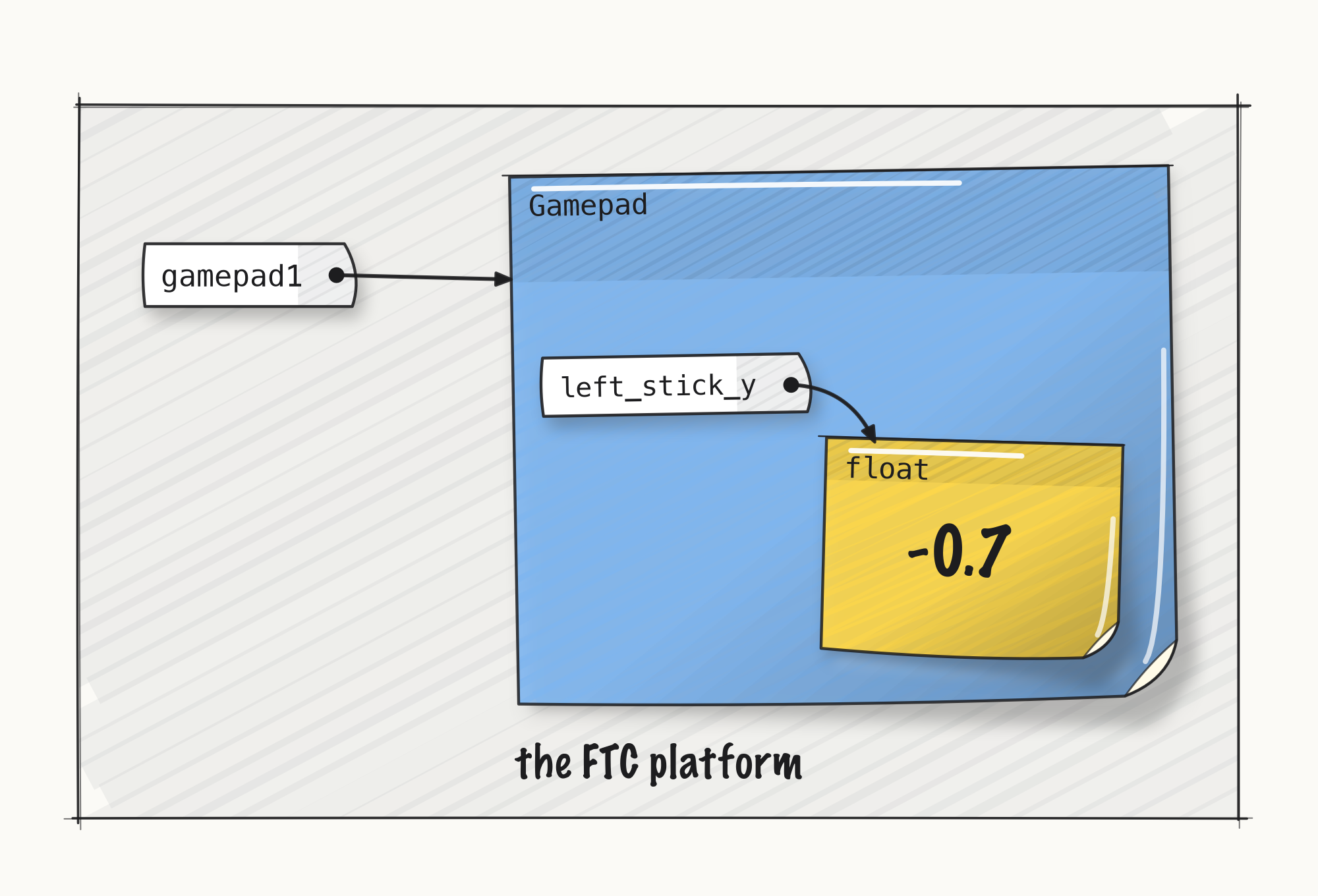
Think of gamepad1 as a white label with an arrow to a sticky note. The note says what kind of
thing it is: a Gamepad.
On the Gamepad note is the field left_stick_y, another label. Its arrow points to a small
sticky note of type float.
The FTC platform does a lot of work for us. It runs loop() over and over, and in each pass the
scheduler runs your readTheSticks(). Before each pass, it reads the left stick’s y-axis on
gamepad 1 and writes that number on the float note. The number sits there on the note, so your
program can read it.
Our first statement started:
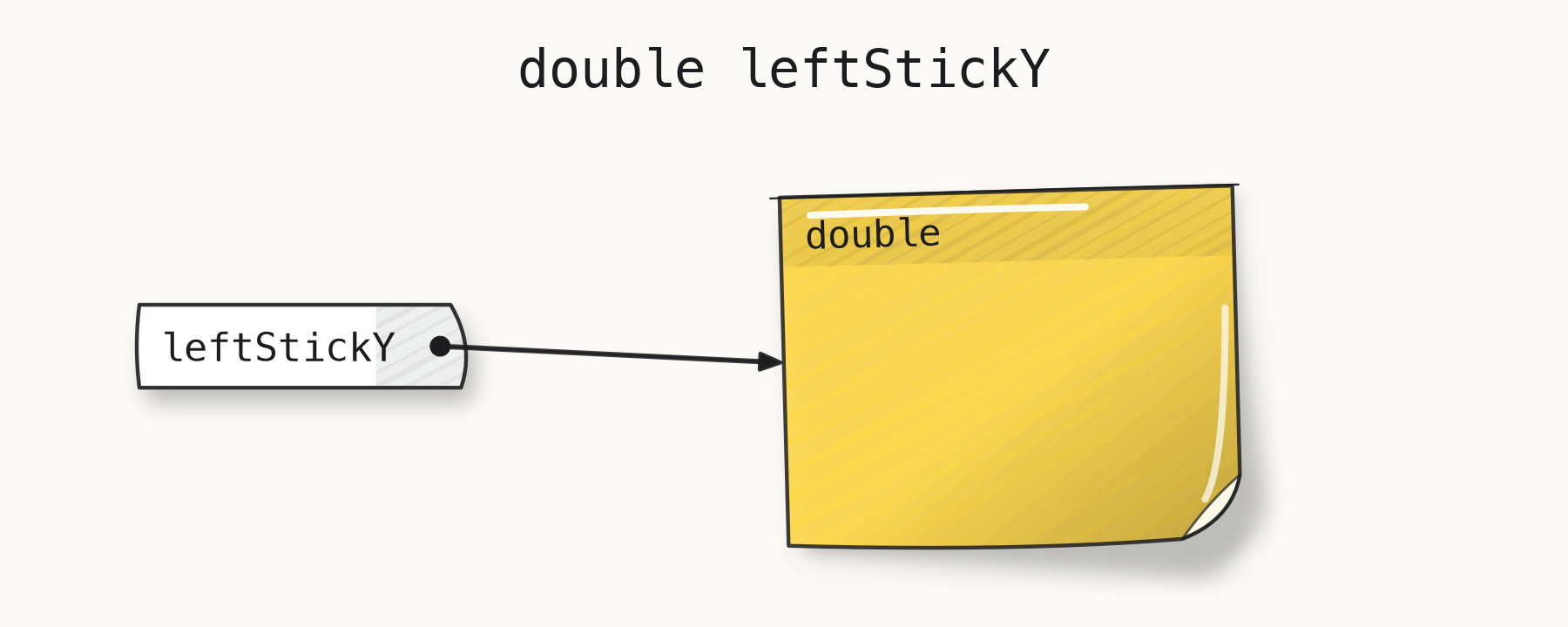
double leftStickY
That makes a variable. Also think of a variable as a name, drawn as a white label. Its arrow
points to a sticky note of type double. But it starts out without a value.
In programming, the little equals sign, =, does a lot of work. It’s a little different than the
= in math. In math, = means two things are equal. In math we can say “2 = 2” is true, and
“1 = 2” is false.
In programming, when we say something like leftStickY = 1.0;, we’re not talking about something
being true or false. We’re telling the computer to take an action. The action is to forget about
whatever was on the leftStickY sticky note, and write down a 1.0 on it. The = means “do the
assignment action.”
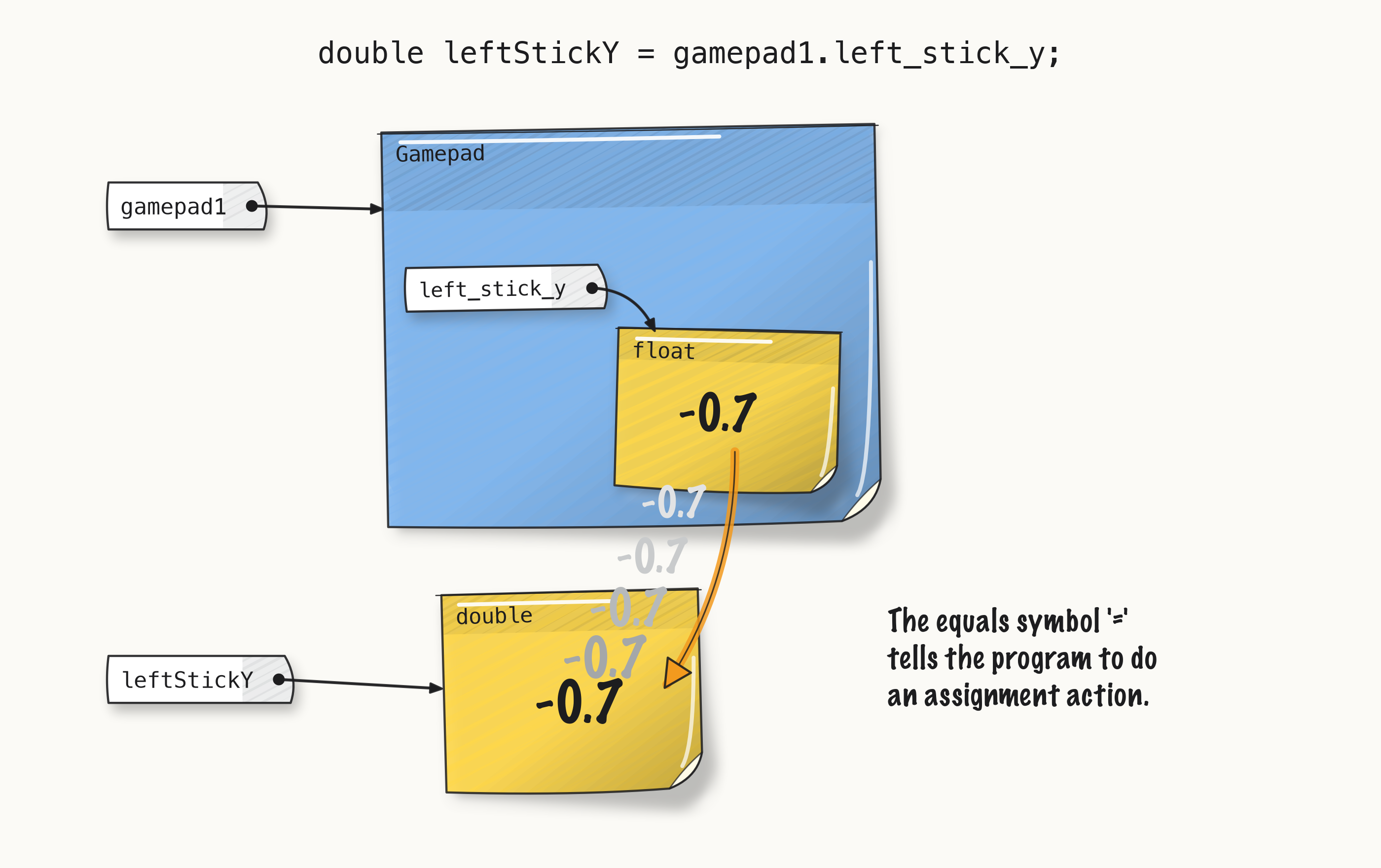
In your code, the = in leftStickY = gamepad1.left_stick_y copies the number on the gamepad1
left_stick_y float note onto leftStickY’s note. = is an action: put this value here.
Your second line of code was:
Tracker.publish("stick/leftY", leftStickY);
Tracker is also provided by the platform. It lets you track things that you want to log to the
AdvantageScope program.
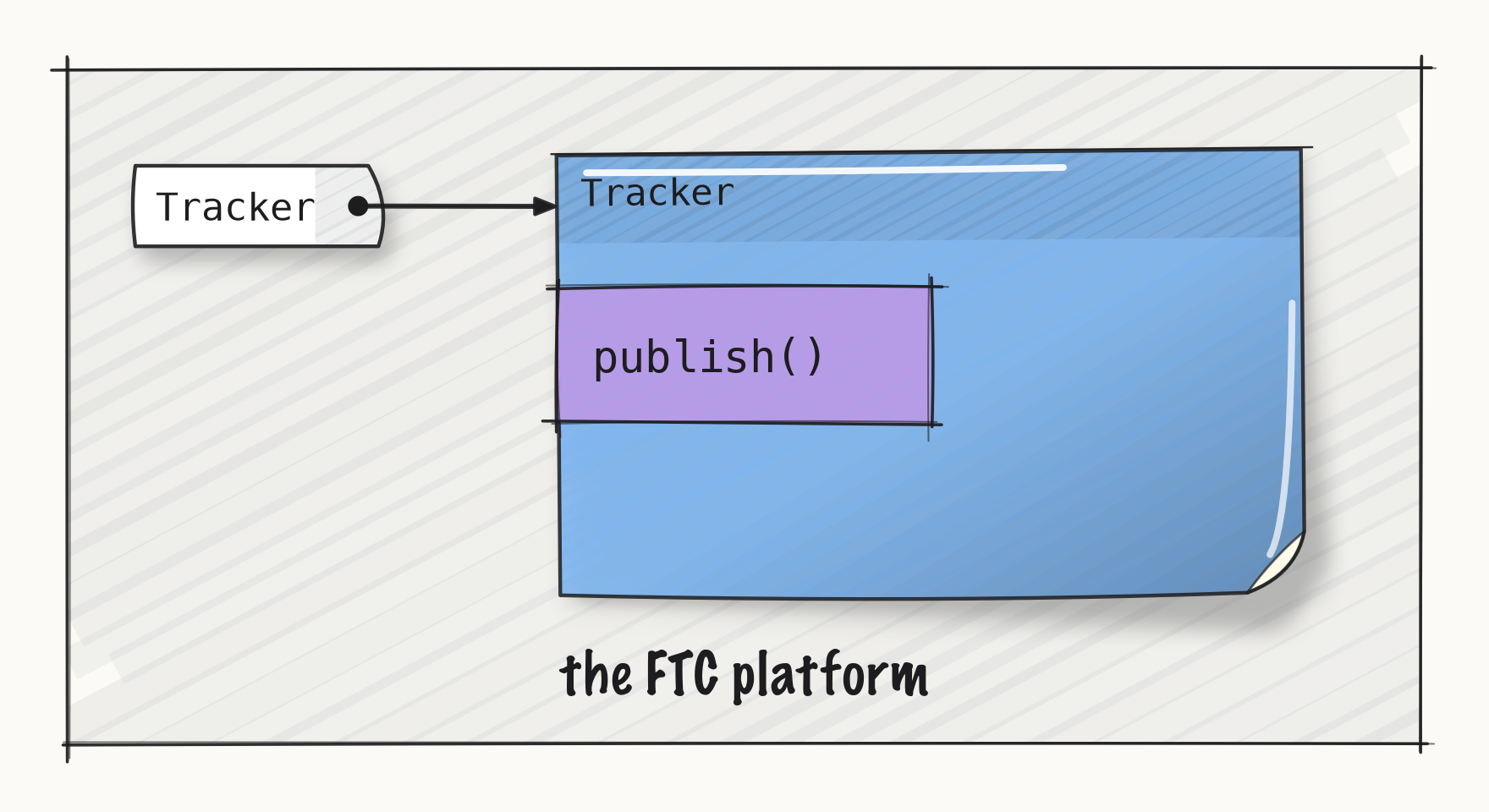
Tracker has a method, publish: a piece of code with a name. This line runs it, the way the
scheduler runs your readTheSticks().
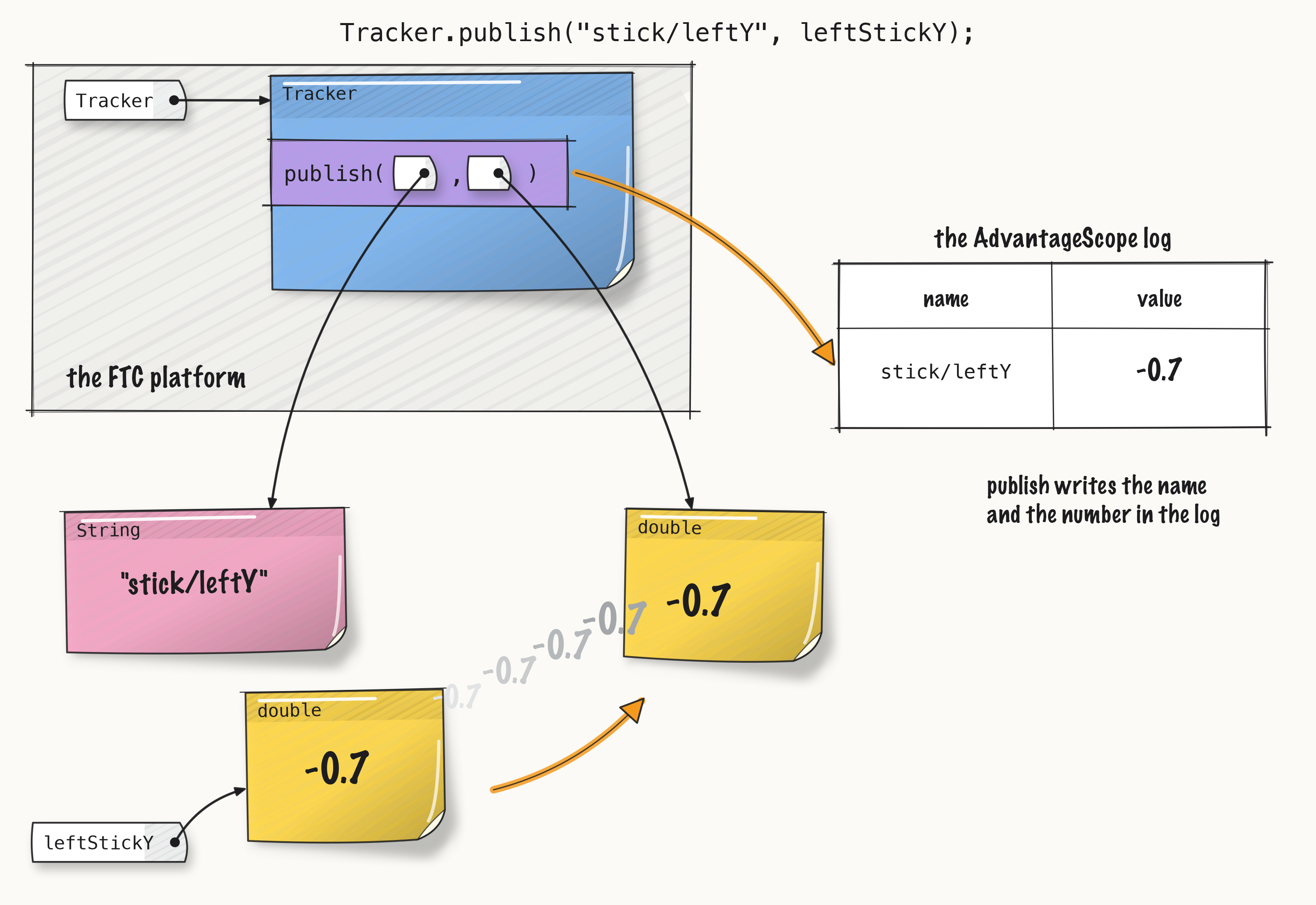
The line Tracker.publish("stick/leftY", leftStickY) hands publish two things: a name for the
value, in quotes, and a copy of leftStickY’s number.
publish sends the number on leftStickY’s note to AdvantageScope, and writes it in the flight
log.