150 lesson: give the driver both
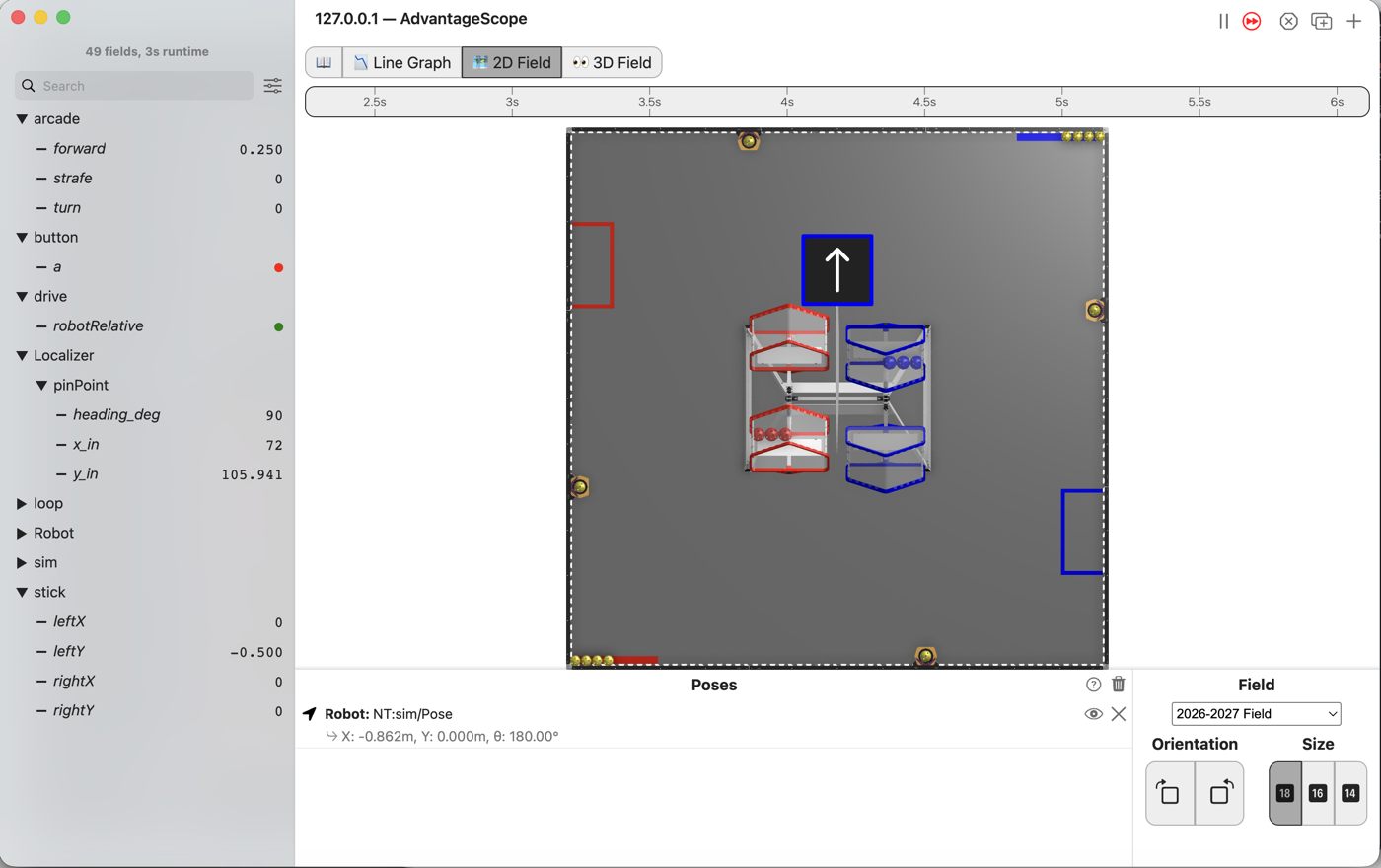
The sticks mean the field, the way L140 left them, until the right bumper is held. While it is held they mean the robot. Let go and they mean the field again.
Before you start.
L140 is done.
AdvantageScope is installed on the same laptop, and a gamepad is plugged into the laptop.
The robot, the Driver Station, and about 2 m by 2 m of clear floor for the last step.
the steps
L150S010: copy the starter into mytry
Copy. In lessons, click L150RobotRelativeButtonOpMode once and copy it. Click mytry once
and paste. In the Copy Class box, click OK. If Android Studio asks whether to add the file
to Git, click Add.
Check.
mytryholdsL150RobotRelativeButtonOpMode, and the new file is open.
L150S020: switch your copy on
Change. Delete the line @Disabled, under the comment that names this step.
Check.
Under the step’s comment, the next line reads
// 'public' so the robot can run this OpMode. 'public' allows access from any code.
L150S030: choose with the bumper
Field relative is the easier way to drive most of the time. It is not the easier way to line up against something. Backing straight out of a corner, or nudging along a wall, is easier when forward means the robot’s own forward.
So the driver gets both, and an if chooses. The starter already works out robotForward and
robotStrafe, L140’s turn. forward and strafe are the sticks as they are, the robot’s own
directions.
Change. In driveFromTheSticks(), find the comment that names this step. Delete the line
drivetrain.sticks(robotForward, robotStrafe, turn); under it, and type:
        double heading = follower.pose().heading();
        double robotForward = forward * Math.cos(heading) + strafe * Math.sin(heading);
        double robotStrafe = -forward * Math.sin(heading) + strafe * Math.cos(heading);
        // When on L150S030, see
        // https://msb-stitt.github.io/ftc31459-26-27-biobuzz/guide/tasks/l150.html#l150s030
        // for what to do here.
        boolean robotRelative = gamepad1.right_bumper;
        Tracker.publish("drive/robotRelative", robotRelative);
        if (robotRelative) {
            drivetrain.sticks(forward, strafe, turn);
        } else {
            drivetrain.sticks(robotForward, robotStrafe, turn);
        }
When you type { and press Enter, Android Studio adds the } for you.
The bumper is read fresh every loop. Let go, and the next loop drives field relative again. The driver’s thumb tells them which way the sticks work, so there is nothing to remember in a match.
Simulator. In the Terminal, run:
./gradlew :TeamCode:simRun --args="mytry.L150RobotRelativeButtonOpMode --pad"
AdvantageScope. Connect to the simulator as in L020, click 2D Field, and open the drive
folder, then Localizer and pinPoint.
Check.
Hold the right bumper and push the left stick a little forward.
robotRelativeturns green, and the robot drives up the field, the way its nose points.y_inclimbs andx_instays at 72.Let go of the bumper and keep pushing. The robot slides to the right, along +x, and
x_inclimbs.
L150S040: drive both ways on the floor
Robot. Stop the simulator. Send the code, and run L150 Robot Relative Button from the Driver
Station. Stand off the robot’s left side, as in L140.
Check.
Turn the robot so its nose points to one side, and push the left stick away from you.
The robot drives away from you.
Now hold the right bumper and push the same way. The robot drives along its own nose.
Let go, and it drives away from you again.
No gamepad. This holds the bumper and the stick, for the picture at the top:
./gradlew :TeamCode:simRun --args="mytry.L150RobotRelativeButtonOpMode --left_stick_y=-0.5 --right_bumper=true"
Without --right_bumper=true, the same run was watched at x_in 126.674 and y_in 10.5. The
simulator has no walls, so a run left going drives off the field.
If it didn’t, and LessonsTest.l150_theBumperSwitchesToRobotRelative fails with
robot relative while held expected:<1.0> but was:<5.551115123125783E-17>, the line still reads
drivetrain.sticks(robotForward, robotStrafe, turn);. That long number is 0.0 with a rounding error
from the turn.
If it didn’t, and it fails with field relative by default expected:<0.0> but was:<1.0>, the
two branches are swapped. The bumper is the exception, so the if reads the bumper, not ! the
bumper.
If it didn’t, and it fails with and back again on release expected:<0.0> but was:<1.0>, the
bumper flips a remembered flag instead of being read fresh every loop. That is a toggle, and this is
the check that catches it.
No test watches the drive/robotRelative line. It is there for AdvantageScope: a driver who says
“it went crooked” and a graph that says which way the sticks worked settle the question between
them.
What you just did. This is the first lesson that is a driver’s choice rather than a robot’s. Nothing here is new arithmetic. Both ways of driving existed already, and what you added is who chooses and when.
That is most of what a competition teleop turns out to be: a few ways to drive, and a gamepad laid out so a driver can reach them without looking.
Where next. L160 holds a heading for the driver, so the robot stops turning when nobody is turning it.