040 lesson: drive like a tank
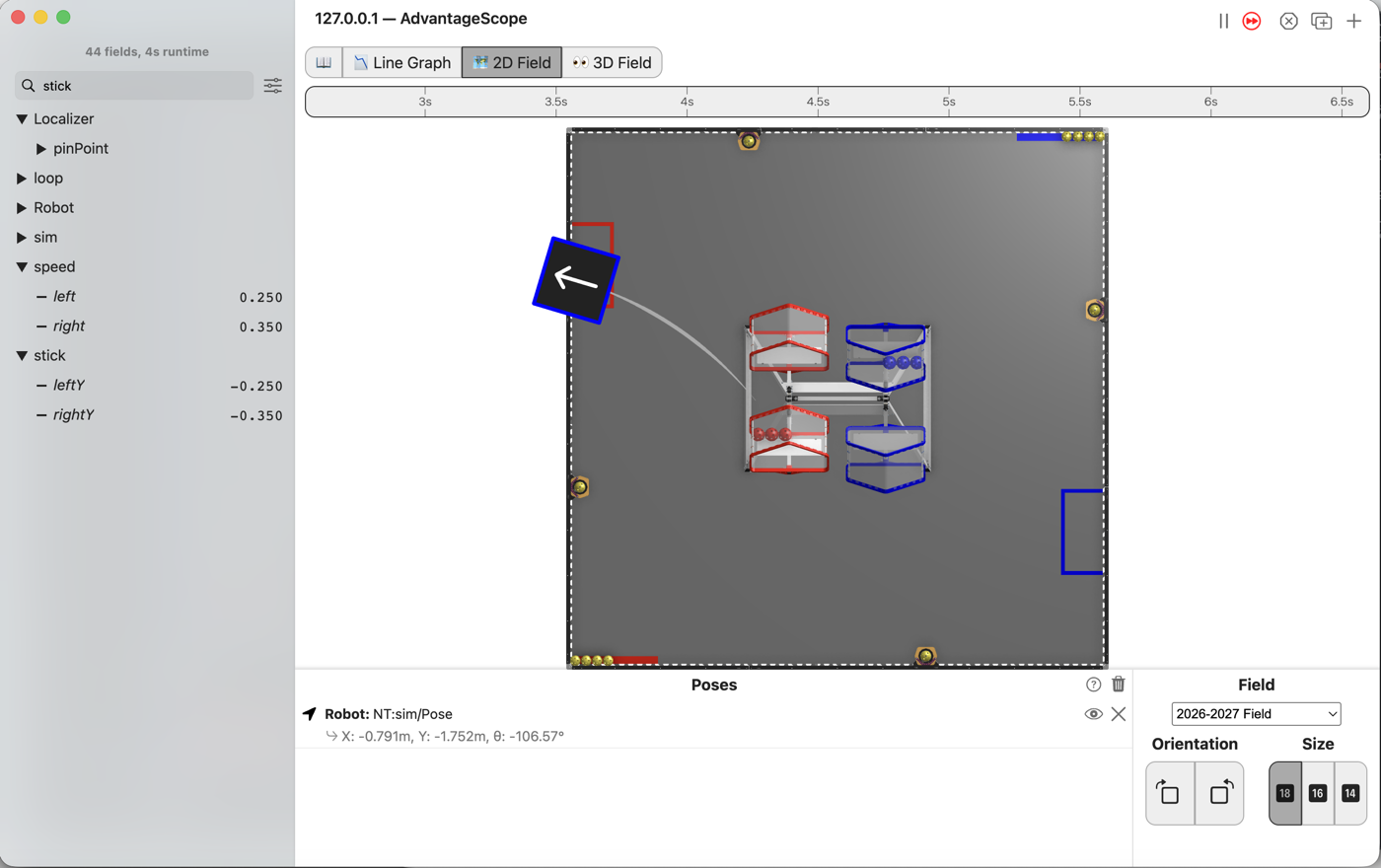
The two speeds drive the wheels, and the robot drives in the simulator: tank drive!
the steps
L040S010: copy the starter into mytry
Copy. In lessons, click L040TankOpMode once and copy it. Click mytry once and paste.
In the Copy Class box, click OK. If Android Studio asks whether to add the file to Git,
click Add.
Check.
mytryholdsL040TankOpMode, and the new file is open.
L040S020: switch your copy on
Change. Delete the line @Disabled, under the comment that names this step.
Check.
Under the step’s comment, the next line reads
// 'public' so the robot can run this OpMode. 'public' allows access from any code.
L040S030: the left wheels
The starter already reads the sticks and turns them into leftSpeed and rightSpeed, as you did
in L030.
Change. The robot has four motors, one on each wheel. hardware holds all four. Under the
comment that names this step, type hardware.front. The list offers frontLeft and
frontRight. Pick frontLeft and press Tab.

Type .setP. The list shows what a motor can be told to do. The one we want is
setPower(double power).
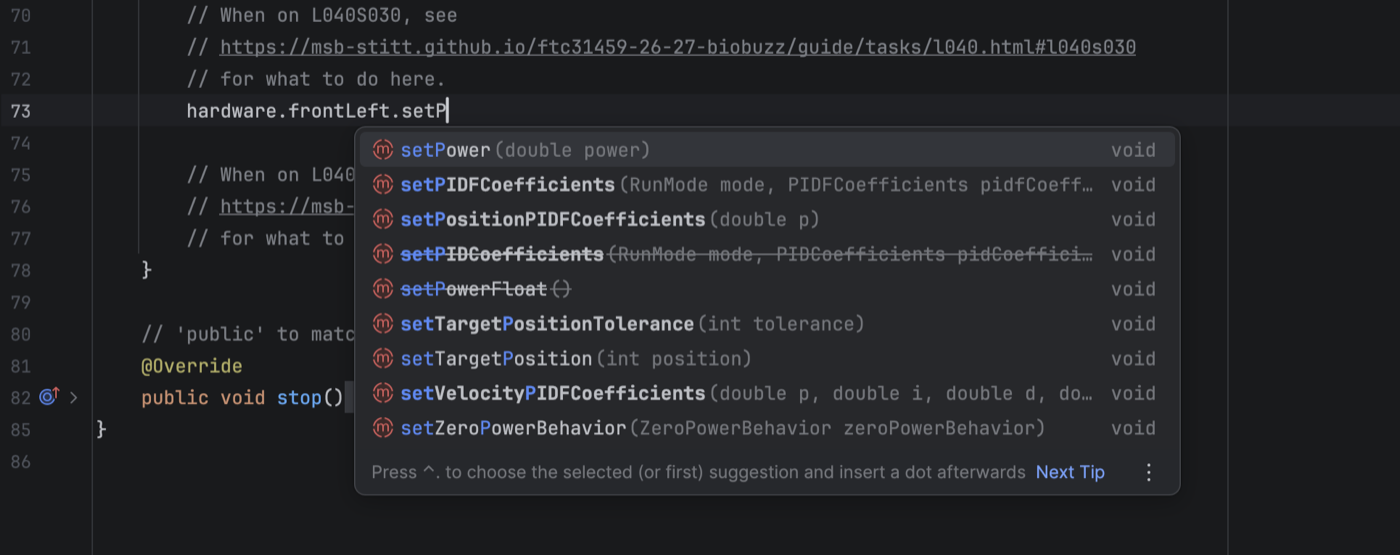
Finish the line, and add the same for the back left wheel:
        // When on L040S030, see
        // https://msb-stitt.github.io/ftc31459-26-27-biobuzz/guide/tasks/l040.html#l040s030
        // for what to do here.
        hardware.frontLeft.setPower(leftSpeed);
        hardware.backLeft.setPower(leftSpeed);
A power is a number from -1.0 to +1.0. It is how hard the motor pushes: 1.0 is full forward, -1.0 is full backward, and 0.0 is stop.
Check.
Neither line has a red underline.
L040S040: the right wheels
Change. Under the comment that names this step, do the same for the right side:
        // When on L040S040, see
        // https://msb-stitt.github.io/ftc31459-26-27-biobuzz/guide/tasks/l040.html#l040s040
        // for what to do here.
        hardware.frontRight.setPower(rightSpeed);
        hardware.backRight.setPower(rightSpeed);
Simulator. In the Terminal, run:
./gradlew :TeamCode:simRun --args="mytry.L040TankOpMode --pad"
AdvantageScope. Connect to the simulator as in L020, and click 2D Field. Open the sim
folder and drag Pose into Poses. The robot appears near the bottom edge of the field. A thin
line runs to it from the middle of the field. That is where the simulator put the robot before the
OpMode moved it to its start, so you can ignore it.
Check.
Push both sticks gently forward, and the robot drives forward.
Pull both back, and it comes back.
Push one forward and pull the other back, and it spins in place.
Push the right stick further than the left, and it curves to the left.
What’s happening. E041 shows what a wheel line does inside the computer.